Vancouver's bikeshare system Mobi is my go-to way for getting around the city in the summer -- pick up a bike, ride to wherever, drop it off. Ride it back later, or don't, it's not your bike so you don't need to worry about leaving it there. The official app does a good job of showing availability, but what if I could figure out an even easier way to see if there are any bikes at my station? What if I could just wave my phone at the front door and it would tell me which station I should head towards?
The API
Fortunately, Mobi has a simple open API that follows the General Bikeshare Feed Specification. It updates every minute, and has current data for all the bikes in the system:
https://gbfs.kappa.fifteen.eu/gbfs/2.2/mobi/en/station_status.json
Great, this is what we need -- but what stations do we want? I only care about the two stations closest to my house, so I'll check the station_information endpoint to find their IDs:
https://gbfs.kappa.fifteen.eu/gbfs/2.2/mobi/en/station_information.json
Alright, so let's say for example I want to check the Nelson & Mainland and Beatty & Nelson stations -- that's 0078 and 0027. Now that I have the station IDs, I can start building an iPhone Shortcut that checks their status automatically.
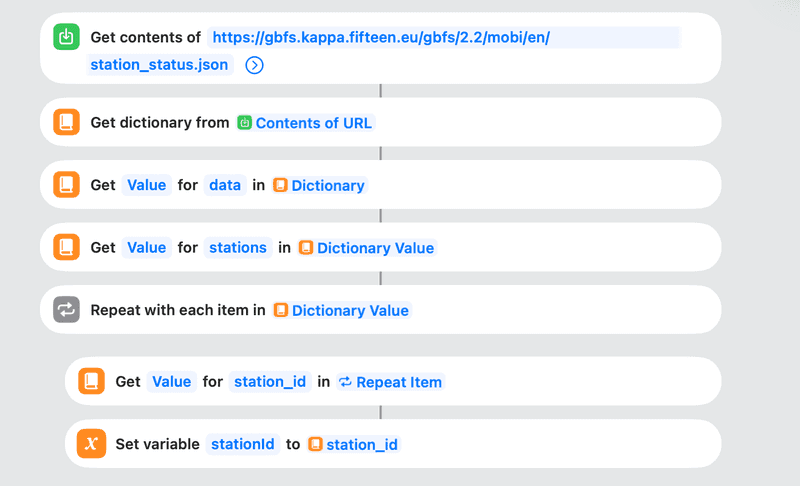
First, we'll want to 'Get Contents of URL', then get a Dictionary from that and extract the station data. Now we can loop through every station in the list:
Since we only need to know about the two stations on Nelson, I'll add a condition right away that only executes the subsequent blocks if the station has one of those two IDs:
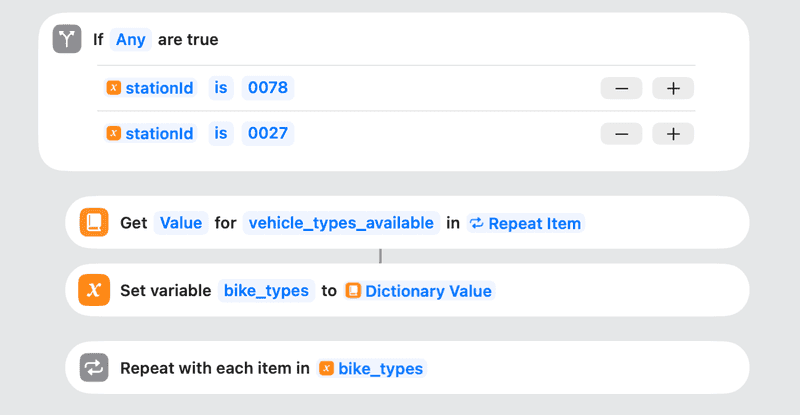
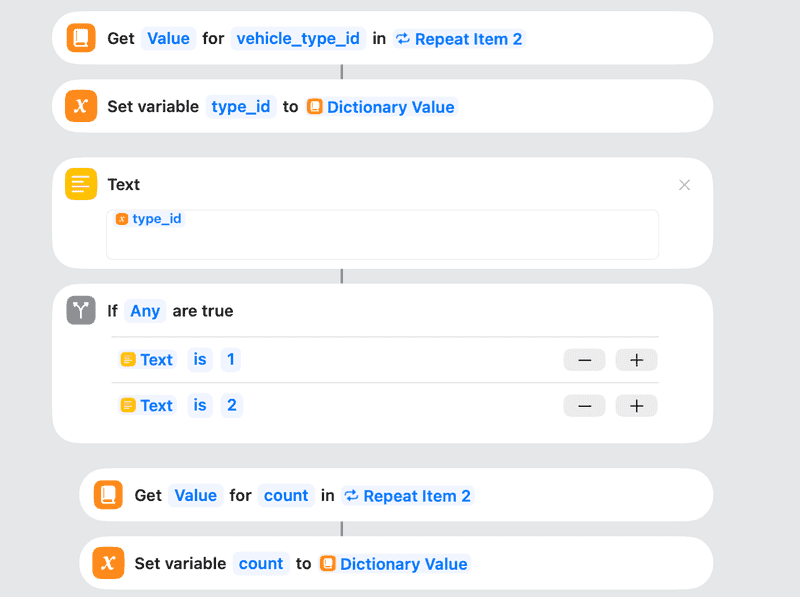
There are two types of bikes that might be available at a station -- analog and electric (and a mysterious "type 3" that doesn't seem to be available anywhere). We want to know how many of each type there are, so we'll get the vehicle_type_id for each item in bike_types.
Annoyingly, Shortcuts cannot compare the value of vehicle_type_id to anything at this point -- it can only check if the value exists or not. To work around this limitation, cast the type_id to Text first; this will allow the If condition to check if the value is type "1" analog or type "2" electric (or, someday, the no doubt rocket-powered type "3"):
Now we just need the phone to tell us about how many there are at each station (this could be a text popup too, but for maximum laziness, let's have it use text-to-speech):
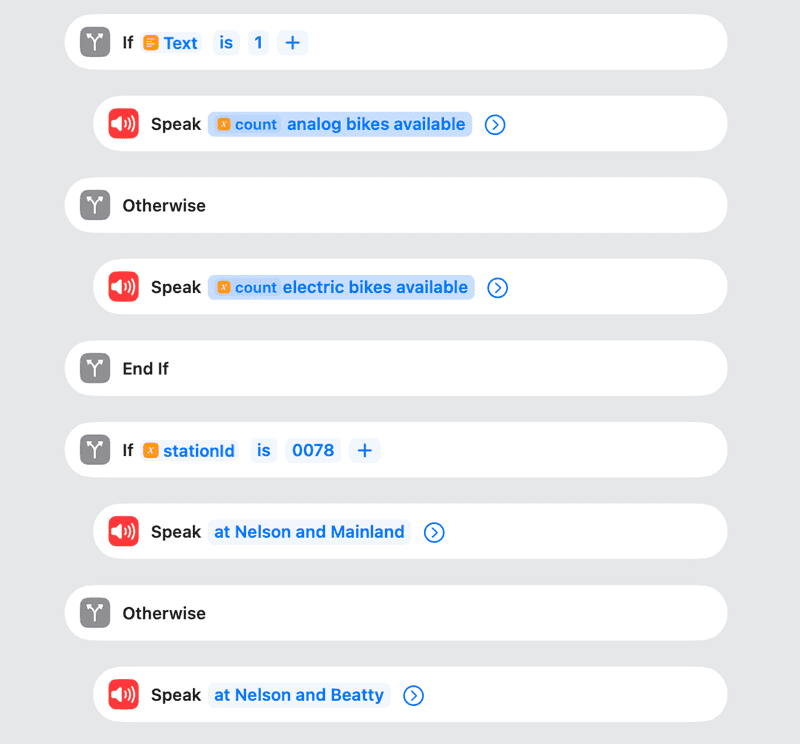
If we wanted to get super precise, we could add another If condition to say "bike" if there's one bike available, and "bikes" otherwise, but this is probably enough nested conditions for now.
Finally, I put an NFC tag near the front door, and set the iPhone to run the Shortcut whenever that tag is detected. To do this, open the Shortcuts app on the iPhone, go to "Automations", then "Add New". Select "NFC" as the trigger, then tap "Scan" and hold the phone next to your NFC tag (easily findable on Amazon or I'm sure other fine online retailers). Once the tag has registered, set it to "Run Immediately".
Now I can just tap my phone on the wall and see how many e-bikes there are, saving myself a precious 34 seconds every day. You can also run the Shortcut with any trigger -- location-based, when your home Wi-Fi disconnects, or even just with Siri.
You can download the full Shortcut here (note that you'll need to change the station IDs to your own stations, which you can find in the station information endpoint).